What Breaks First When an AI Workflow Reaches Production?
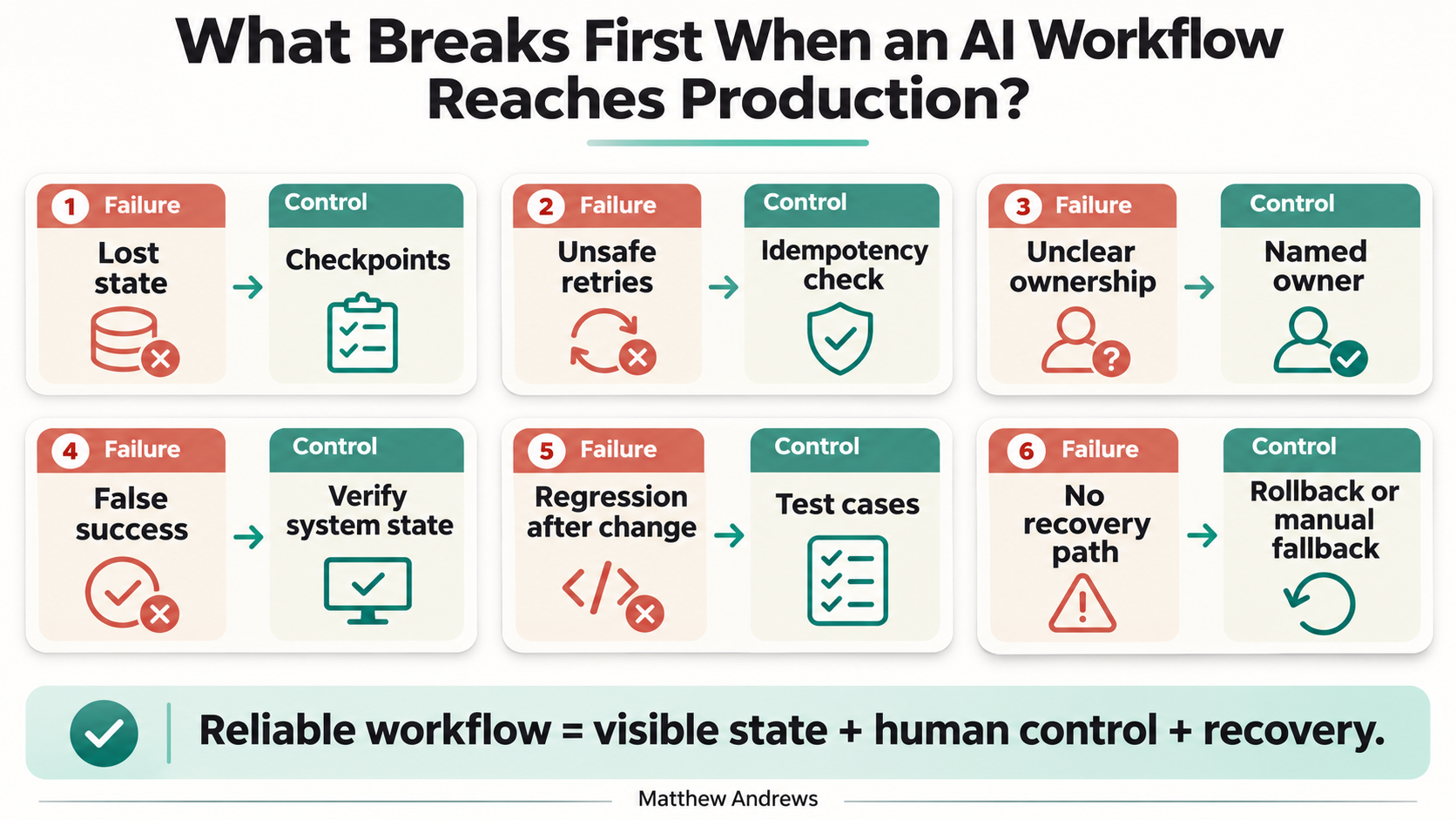
Quick answer: The first problems are usually not the model’s writing quality. They are lost state, unsafe retries, unclear ownership, missing verification, and no reliable recovery path.
What this article answers: What should teams test before trusting an AI workflow with real work?
1. State disappears
A workflow may work in a short demo, then fail when a task runs for minutes or hours.
The agent loses track of what it already completed, what failed, what still needs approval, or which information is current.
A production workflow needs checkpoints. Each important step should leave a visible record of its status.
2. Retries create duplicate work
A failed step is not always safe to repeat.
A retry may send the same message twice, create duplicate records, repeat an external action, or overwrite a newer decision.
Before retrying, the workflow should check whether the previous action actually happened. “Try again” is not a recovery strategy.
3. Nobody owns the decision
When the workflow is wrong, who can pause it?
The answer should be a named person or team—not “engineering,” “the vendor,” or whoever built the first version.
The owner should know what the workflow is allowed to do, when a human must approve, how to stop new runs, and who handles the affected work.
4. The output looks right, but the result is wrong
A polished response does not prove the workflow completed its job.
The system may say “done” even when the record did not change, the required source was not checked, the approval was skipped, or the downstream system rejected the update.
Verify the result in the system of record. Test the state that changed—not only the text the model returned.
5. Old failures return after a change
A prompt update, model swap, tool change, or permission change can reintroduce a problem that was already fixed.
Keep a small regression set containing a normal case, a known edge case, a case that must pause or fail, and a case with stale or conflicting information.
Run those cases after every material change.
6. Recovery is undefined
When something goes wrong, the team needs more than a rollback button.
A recovery plan should identify which runs may be affected, how to stop additional processing, what evidence to preserve, whether to roll back, isolate, disable, or use a manual fallback, and who approves the restart.
If the team cannot answer those questions, the workflow is not ready for broad use.
The short answer
AI workflows usually break first around the model—not inside it:
- state gets lost;
- retries create duplicates;
- ownership is unclear;
- success is not verified;
- old failures return after changes;
- recovery is improvised.
Before expanding an AI workflow, test the moments when work is interrupted, repeated, rejected, or changed.
That is where production reliability is decided.
Subscribe for Future Posts
Follow my writing on technology, leadership, and building better systems. Add the blog’s RSS feed to your preferred feed reader to receive future posts.