Before You Automate the Happy Path, Map the Exceptions
By Matthew Andrews ·
Matthew Andrews explains how mapping missing information, conflicting sources, and late changes turns workflow exceptions into clear automation requirements.
Workflow Automation That Earns Trust · Part 2
The most useful automation question may be: “Tell me about the last time this process didn’t go as planned.”
People often describe a process in the order it is supposed to happen. Collect the information. Prepare the report. Review it. Submit it. That description gives us a starting point, but it leaves out the situations people handle through experience, judgment, and conversations that never appear in the procedure.
If we build from that description alone, we risk automating only the version of the work that happens when everything goes right.
Ask for the Last Exception, Not Every Possible Exception
Yesterday, I wrote about choosing work worth automating. Once that choice is made, I would sit with the people doing the work and ask them to walk through a recent difficult case.
What was different? When did they notice? What did they do next? How did they know the work was ready to continue?
A specific example gives us more to work with than asking whether the process “usually works.” It can reveal a rule someone applies without realizing it is missing from the requirements.
Turn the Variation Into a Required Outcome
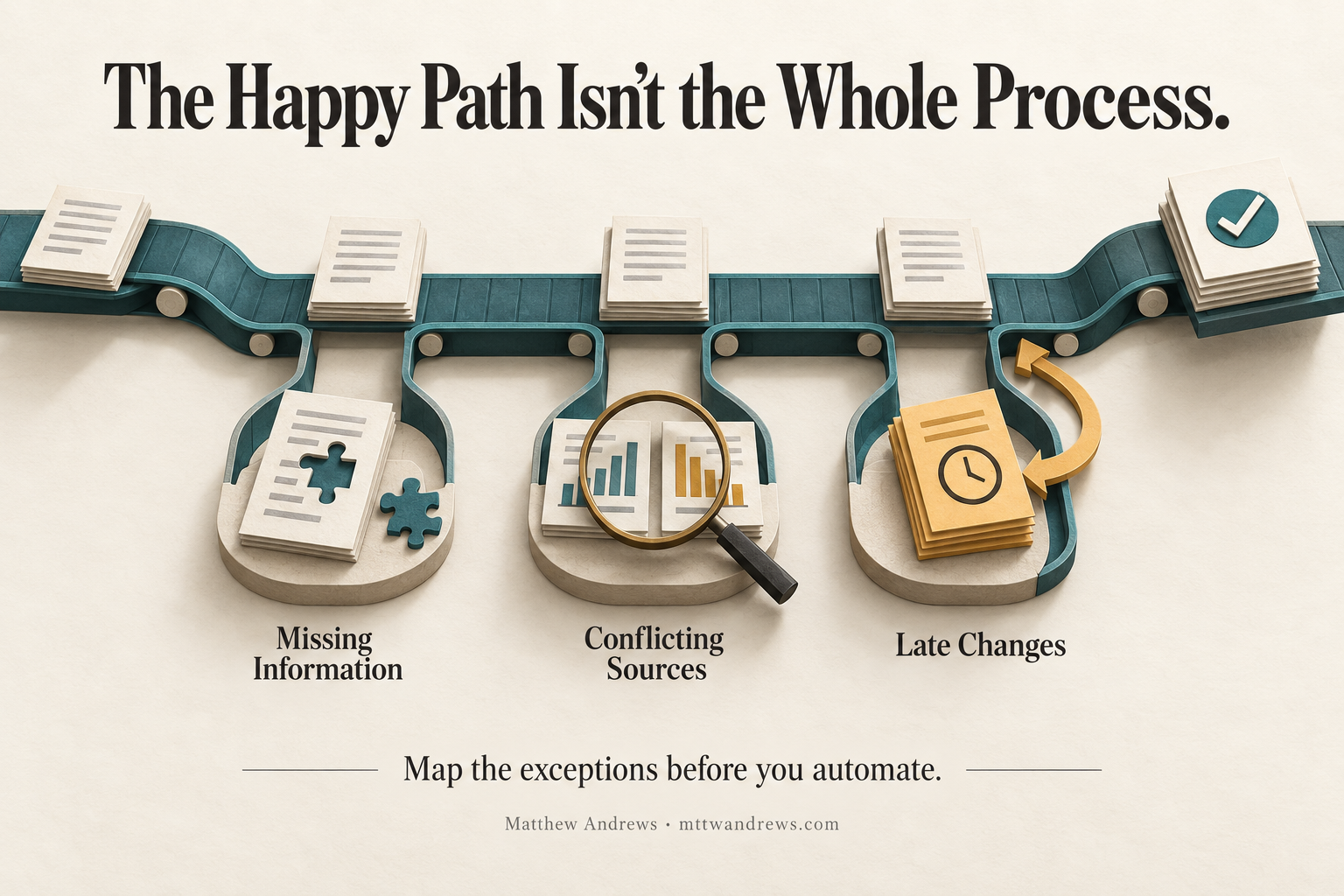
Consider a hypothetical team preparing a weekly status report from several project systems. The expected flow looks straightforward. Three variations expose requirements that a simple step list would miss.
| Variation | What happens | Required outcome |
|---|---|---|
| Missing information | One project has not supplied its update. | The reviewer can identify what is missing and cannot mistake the report for a complete submission. |
| Conflicting sources | Two systems show different statuses for the same project. | The discrepancy is visible, and an agreed source-of-truth rule determines what belongs in the report. |
| Late changes | An update arrives after the report has been reviewed. | The affected content is identified, and its review status reflects the change before submission. |
Keep the Exception Connected to the User’s Need
“Add error handling” is too broad to tell a developer or coding agent what the user needs.
A more useful requirement would be: “When a required project update is missing, the report reviewer can identify the affected project and see that the report is incomplete before submitting it.”
That statement describes an observable outcome. It leaves room to choose the implementation while making the obligation clear. The team can demonstrate it by deliberately leaving out an update and checking what the reviewer sees and can do.
The same approach applies to conflicting information and late changes. Each variation should lead to a requirement someone can explain, demonstrate, and check.
Map Enough to Set an Honest Boundary
We do not need to imagine every possible edge case before making progress. Start with exceptions people can point to in recent work, then consider less frequent cases whose consequences would matter.
For each one, record the affected step, the condition that makes it different, and the outcome the user needs. Where the rule is unclear, record the unanswered question rather than letting the implementation quietly decide it.
Some variations may remain outside the first automation’s scope. Make that boundary explicit, including how the person using the process will recognize that the case needs separate attention.
The Map Becomes Part of the Requirements
My technical-management experience has made me attentive to the work hidden between documented steps. When people repeatedly clarify, reconcile, or update information, those actions deserve examination before we build around the process.
A useful exception map connects three things: the expected step, the variation that changes it, and the required outcome. It gives the team a more accurate description of what the automation must support.
Before asking how quickly we can automate a workflow, I would ask whether we understand what makes it depart from the plan.
Subscribe through the blog’s RSS feed for future posts in this series.
Subscribe for Future Posts
Follow my writing on technology, leadership, and building better systems. Add the blog’s RSS feed to your preferred feed reader to receive future posts.
Was This Post Useful?
Loading reader feedback…
Public totals. An anonymous browser identifier remembers your vote; no account is required.