Your Automation Saved Ten Hours. Where Did They Go?
By Matthew Andrews ·
The task disappeared. Somehow, everyone is still busy.
Workflow Automation That Earns Trust · Part 4
Measure the work automation actually removes, including review, corrections and upkeep, and distinguish recovered capacity from actual spending reductions.
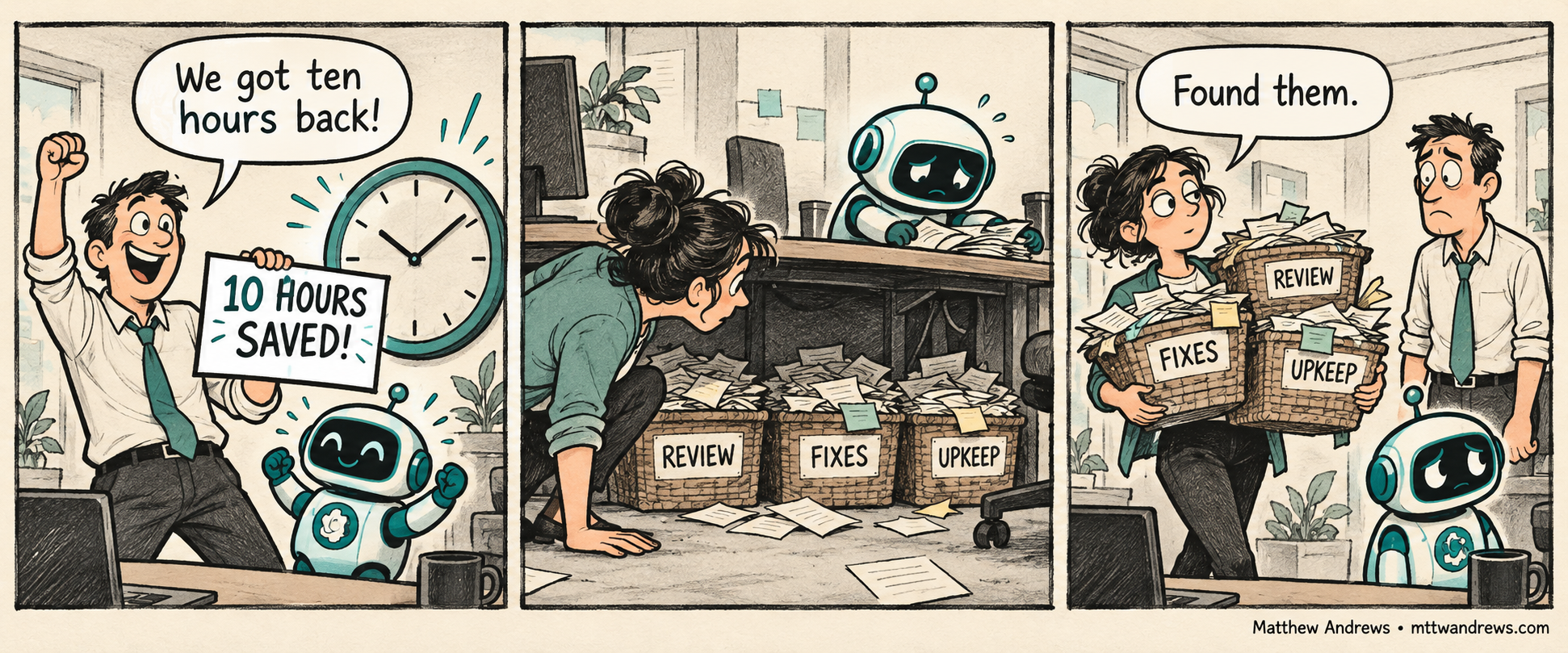
An automation can finish in seconds while leaving someone else with hours of checking, correcting, and keeping it running. If we only measure the step that vanished, we can make the result look better than the experience of the people using it.
In my reporting-automation work, the meaningful change was reducing the effort involved in preparing material for review. A faster generation step mattered because it changed the surrounding workload. That is the standard I want to carry into any savings claim: measure the work people actually stopped doing, and include the work they still have to do.
Follow the Work All the Way Through
Start and finish the comparison at the same points. If the original process ended with a checked report ready for approval, the automated process must reach that same state before we stop counting.
Include preparation, checking, corrections, exception handling, and routine upkeep. Include the people receiving the output, too. Moving a task from the person generating a report to the person reviewing it does not make the task disappear.
Elapsed time and labor time also answer different questions. A workflow might take two days to finish but require only two hours of hands-on work. Another might finish in an afternoon while occupying several people. Track both when both matter.
Count What Came Back
Here is a hypothetical weekly workflow, using total person-hours across everyone involved:
| Work | Before | After |
|---|---|---|
| Prepare the output | 10 hours | 1 hour |
| Review and correct it | 2 hours | 3 hours |
| Maintain the automation | 0 hours | 1 hour |
| Total | 12 hours | 5 hours |
Preparation alone fell by nine hours. The net recurring reduction was seven hours. Both numbers describe something real in this example, but only the second accounts for the rest of the work.
Keep the initial build and rollout effort separate from recurring effort. If this example took 35 person-hours to build and introduce, five comparable weekly runs would recover that initial labor investment at seven hours per run. That is a labor comparison; software fees and other costs would need their own accounting.
Compare Equivalent Results
A smaller workload does not mean much if the automated output needs more repairs later or covers less of the original task.
Compare similar volumes and difficulty, record whether the result met the same quality requirements, and keep failed runs in the record. Observe several representative cycles before treating one unusually smooth run as the normal result.
A useful record can be simple: how much work arrived, total hands-on time, time until the result was ready, corrections required, and whether it met the agreed standard. If a figure is estimated rather than measured, label it that way.
Give the Recovered Time a Destination
Seven hours of recovered capacity is useful. It does not automatically mean seven hours disappeared from payroll.
The benefit might be less overtime, fewer delays, more time with clients, or room to handle additional work. Name the outcome you expect, then check whether it happened. A salary-based estimate describes the value of capacity; an actual reduction in spending is a different claim.
If the team remains overloaded, ask where the time went. Perhaps volume grew. Perhaps the next stage became the bottleneck. Perhaps the automation created work that the original estimate missed. Each answer tells us something useful about what to improve next.
Make the Savings Claim Testable
I would rather read “we reduced total weekly handling time from twelve hours to five across comparable runs, including review and upkeep” than “we automated 90% of the process.” The first statement tells the team what to verify.
Before celebrating an automation, ask: what stopped, what remained, what new work appeared, and what became possible with the time recovered?
That is how a faster step becomes a useful operational improvement.
Subscribe for Future Posts
Follow my writing on technology, leadership, and building better systems. Add the blog’s RSS feed to your preferred feed reader to receive future posts.
Was This Post Useful?
Loading reader feedback…
Public totals. An anonymous browser identifier remembers your vote; no account is required.